Automated and Scalable Cloud Infrastructure
An automated AWS deployment environment that uses Ansible, Docker, Nginx and supporting cloud services to provision a reproducible, secure and scalable application infrastructure.
Overview
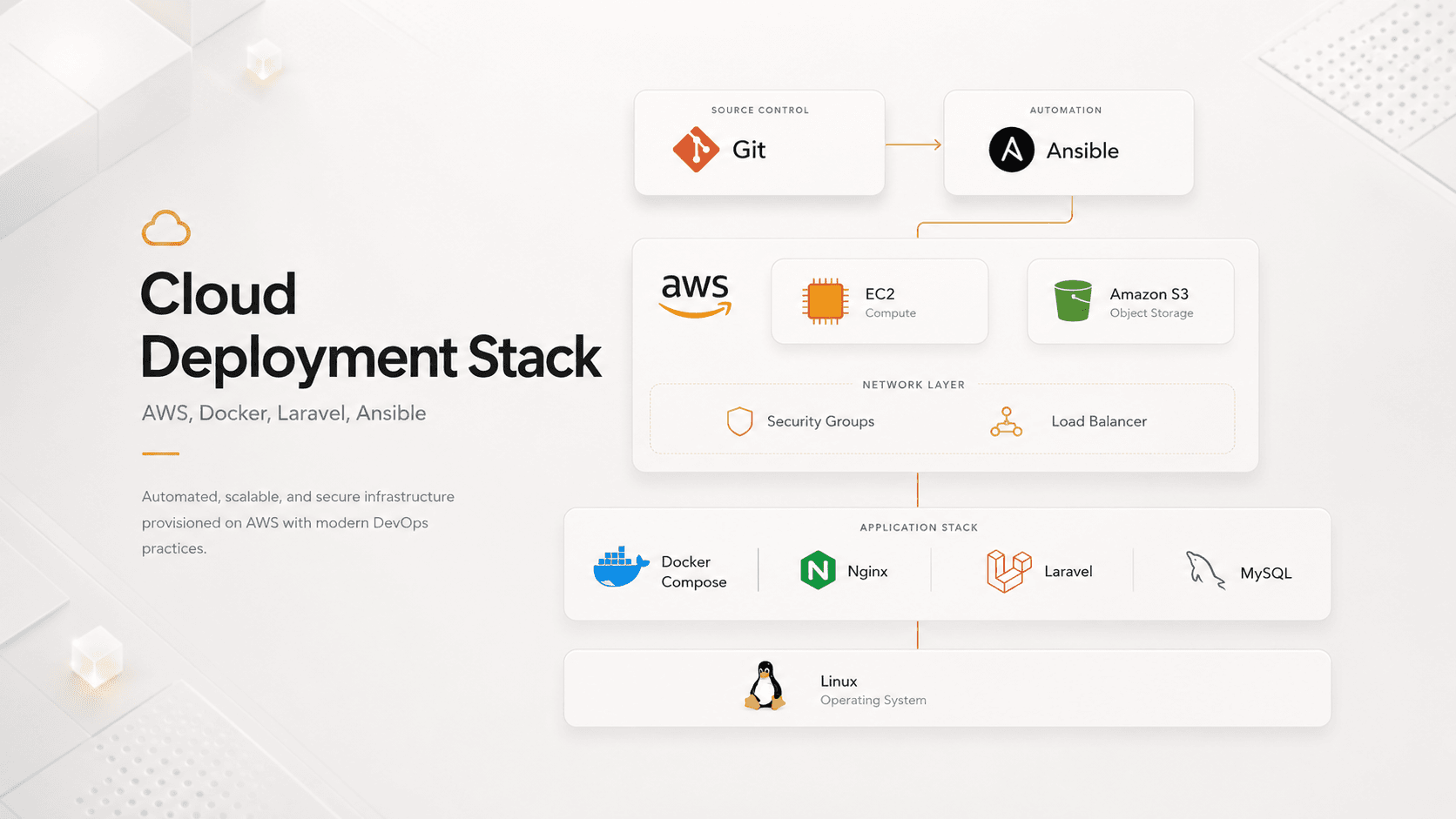
For this project, my objective was to take a Laravel application that would normally be installed and configured manually and create a more repeatable cloud deployment process. I used AWS EC2 as the Linux server, Docker Compose to run Laravel, MySQL and Nginx in separate containers, and Ansible to automate the preparation of the server. Amazon S3 was used to store application files separately from the virtual machine, while Security Groups controlled which network connections were allowed. I also introduced a Load Balancer layer to prepare the architecture for traffic distribution and future scaling. The main value of the project was not building an AWS dashboard; it was learning how all of these services work together to move an application from local development to a structured cloud environment.
My goal
My goal was to reduce manual server configuration and create a deployment that could be reproduced more consistently.
The problem
A manual Laravel deployment requires installing software, configuring the web server, setting environment variables, preparing the database, managing storage and opening the correct network ports.
Repeating these steps manually can create different environments, forgotten configuration and difficult maintenance.
What I built
I designed an initial cloud architecture containing:
- Git repository
- Ansible automation
- AWS EC2
- Linux
- Docker Compose
- Nginx
- Laravel
- MySQL
- Amazon S3
- Security Groups
- Load Balancer
How it works
The application source code is stored in Git. Ansible prepares the AWS EC2 server and installs the required environment. Docker Compose then starts the Nginx, Laravel and MySQL services in connected containers.
Nginx receives incoming web requests and forwards them to Laravel. Laravel contains the application logic, while MySQL stores the relational data. Application files are stored in Amazon S3 instead of remaining only on the EC2 machine.
Security Groups restrict access to the infrastructure, and the Load Balancer provides a layer for routing traffic and preparing the architecture for future scaling.
Technical approach
Each part of the stack was chosen for a specific reason:
- Git — Stores and versions the application code.
- Ansible — Automates repeated server installation and configuration steps.
- AWS EC2 — Provides the Linux virtual server running the application.
- Docker Compose — Defines and runs Laravel, MySQL and Nginx consistently.
- Nginx — Receives web traffic and forwards requests to Laravel.
- Laravel — Contains the web application and business logic.
- MySQL — Stores application data.
- Amazon S3 — Stores uploaded files separately from the EC2 server.
- Security Groups — Control which network traffic can reach the server.
- Load Balancer — Adds a traffic-routing layer and prepares the design for future scaling.
Architecture diagram
A simplified view of how the Laravel application moves from source control to a running cloud service.
Developer
Git repository
Source-code versioning
Ansible automation
Server preparation & configuration
Load Balancer
Traffic-routing layer, ready to scale
- Security group boundary
AWS EC2
Virtual cloud server
Docker Compose
NginxLaravelMySQL
Amazon S3
File storage, separate from EC2
Git
Stores and versions the application source code.
Ansible
Automates the preparation of the cloud server and reduces repetitive manual configuration.
AWS EC2
Provides the virtual cloud server on which the application runs.
Docker Compose
Defines and starts the Laravel, MySQL and Nginx containers consistently.
Nginx
Receives web requests and forwards them to the Laravel application.
Laravel
Contains the application's business and web logic.
MySQL
Stores the application's relational data.
Amazon S3
Stores application files separately from the EC2 server.
Security Groups
Restrict which network traffic is allowed to reach the infrastructure.
Load Balancer
Provides a traffic-routing layer and prepares the architecture for future scaling and higher availability.
Main challenges
- Configuring network access correctly
- Making containers communicate
- Managing environment variables
- Connecting Laravel to the database
- Configuring Nginx
- Separating files from the EC2 server
- Diagnosing deployment errors
- Making Ansible scripts repeatable
What I learned
This project helped me understand what happens after an application leaves the developer's computer. I gained practical experience with Linux servers, containers, reverse proxies, cloud networking, storage, security rules and infrastructure automation.
I also learned why repeatable configuration and clear documentation are important when an application must be maintained or deployed again.
Current status
The result was an initial functional cloud deployment and an automated foundation that could be improved further with CI/CD, monitoring, backups and additional availability mechanisms.