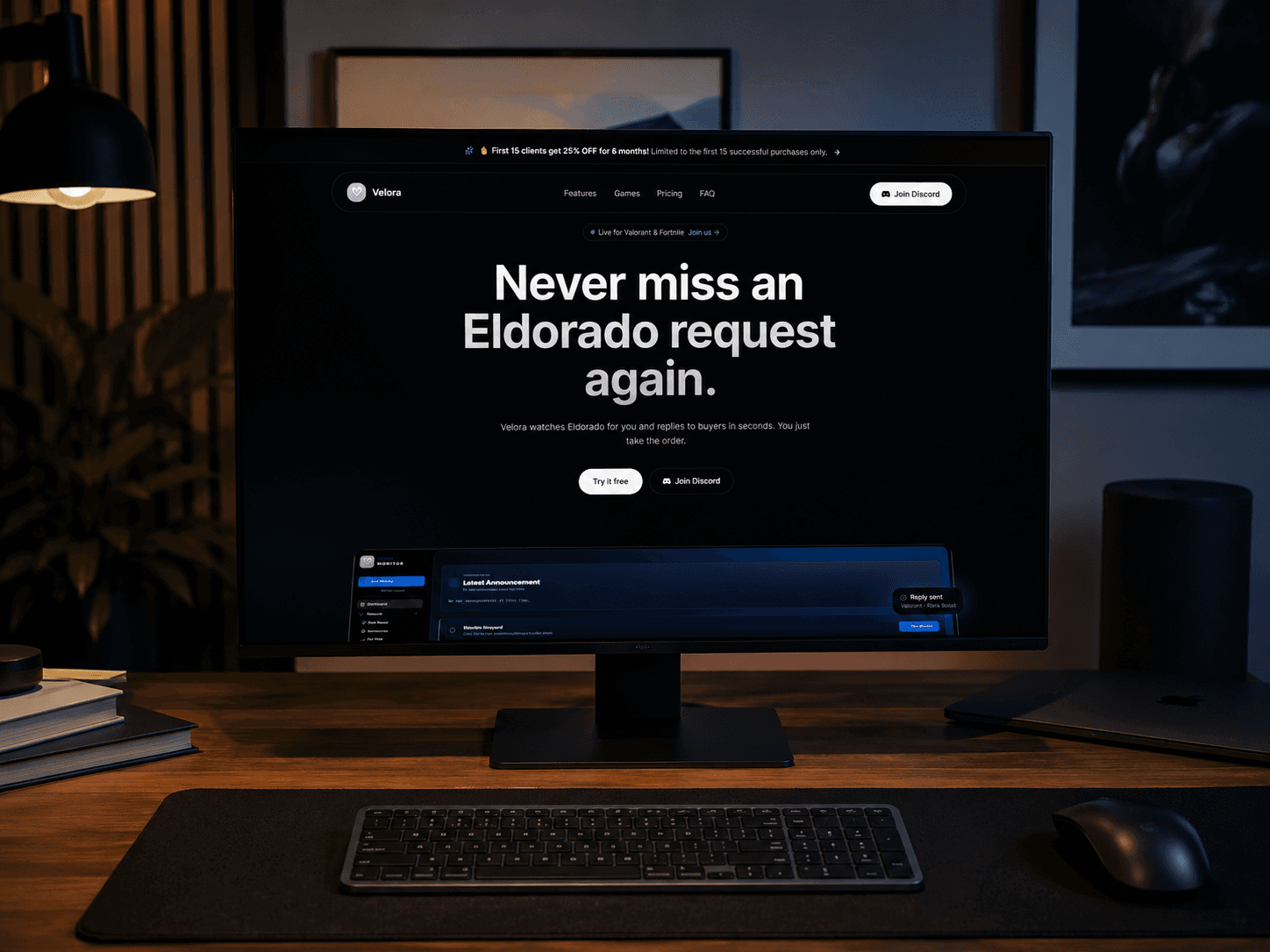
Velora Monitor — Marketplace Automation Assistant
A desktop automation assistant that monitors marketplace requests, applies configurable pricing and reply rules, and helps sellers manage repetitive workflows from one controlled dashboard.
Overview
I built Velora Monitor to reduce the amount of repetitive work involved in selling services on the Eldorado marketplace. Sellers often need to watch for new requests, answer buyers quickly, calculate prices according to rank and service type, and keep track of several ongoing actions at once. Velora brings these tasks into one desktop dashboard. It can monitor incoming opportunities, apply configurable pricing and reply rules, display activity logs and show whether the monitoring system is working correctly. My objective was not to remove the seller from the process, but to create an assistant that reacts quickly while keeping the important rules, decisions and failure states visible to the user.
My goal
My goal was to turn a collection of repetitive marketplace actions into a structured product that different sellers could configure according to their own workflow.
The problem
The original selling process required constant attention. A missed request could mean losing an opportunity, while manually calculating prices and writing similar replies repeatedly increased the risk of mistakes.
Another difficulty was that the marketplace does not provide a complete official API for every required action, so the monitoring system needed safe fallbacks, clear logs and visible error states.
What I built
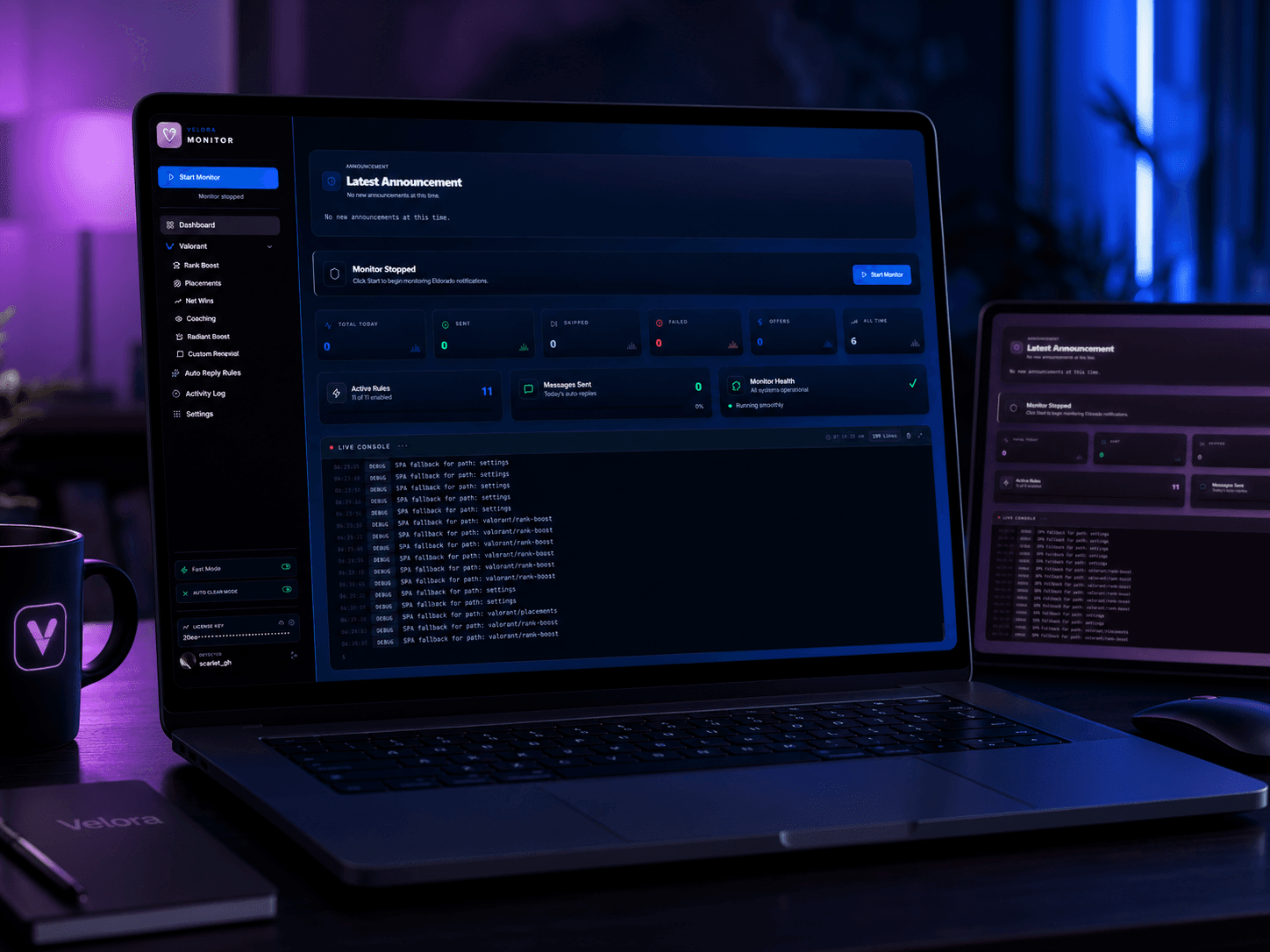
I designed a desktop product containing request monitoring, automatic replies, rank-based pricing, solo and duo pricing rules, configuration screens, activity logs, system-health indicators, Discord authentication, licensing and machine-verification logic.
How it works
The seller configures pricing and reply rules inside the dashboard and starts the monitor. The monitoring layer watches for relevant requests, the parser extracts the useful information, and the rule engine determines which action or reply should be prepared.
The dashboard records activity and exposes the monitor's status so the seller can see when the system is active, stopped or experiencing a problem.
Technical approach
Velora is built as several cooperating layers, not one simple bot script:
- Desktop client
- Monitoring and parsing logic
- Pricing-rule engine
- Reply-template system
- Authentication and licensing
- Configuration storage
- Activity and error logs
- Web services used by the product
Main features
- Marketplace request monitoring
- Configurable automation rules
- Automatic replies
- Rank-based pricing
- Solo and duo pricing logic
- Activity logs
- System-health visibility
- Discord authentication
- Licence verification
- Machine verification
- Desktop dashboard
- Manual fallback controls
Main challenges
- Working without a complete official marketplace API
- Handling page and interface changes
- Keeping pricing flexible for different sellers
- Managing authentication and local state
- Preventing damaged configuration files
- Making failures visible instead of silent
- Packaging the software for other computers
- Balancing automation with manual user control
What I learned
This project taught me how to think beyond isolated features and design a complete product architecture. I gained experience in automation logic, state management, configurable rules, authentication, licensing, error handling, application packaging and gathering feedback from testers.
I also learned that an automation tool is only useful when its failures are clear and the user can safely take control again.
Current status
Velora Monitor is in active development and testing. I continue improving the monitoring reliability, configuration system and support for different seller pricing strategies.
How Velora runs the marketplace session
Velora does not automate the user's personal browser session. When monitoring starts, the executable launches a dedicated Chrome process with its own browser profile. Playwright then connects to that browser through Chrome DevTools Protocol, giving the monitoring service a controlled environment for observing the marketplace while keeping it separate from the user's normal browsing data and tabs. The information found on the marketplace page is passed to the parsing and rule layers, while the dashboard remains the place where the seller starts or stops monitoring, manages rules and reviews activity or errors.
Browser automation was required because the marketplace does not expose every required workflow through a complete official API. Automation acts as the integration layer, but it also introduces reliability challenges because page changes, expired sessions and browser failures must be detected and reported clearly.
Runtime flow
1
Velora executable
Starts the monitoring service and opens the dashboard shell.
2
Dedicated Chrome process
Launches a separate browser session with its own profile.
3
Playwright through CDP
Connects to the browser for page observation and interaction.
4
Marketplace page
Loads the monitored marketplace page and captures new activity.
5
Request parser
Extracts the relevant request details for the next layer.
6
Pricing and automation rules
Applies the configured logic for pricing and replies.
7
Reply/action preparation
Builds the response or follow-up action for the seller.
8
Activity and health logs
Records what happened and surfaces errors for review.
Dashboard controls
- Start monitor
- Stop monitor
- Rule configuration
- Manual fallback
- Activity logs
- Error visibility